


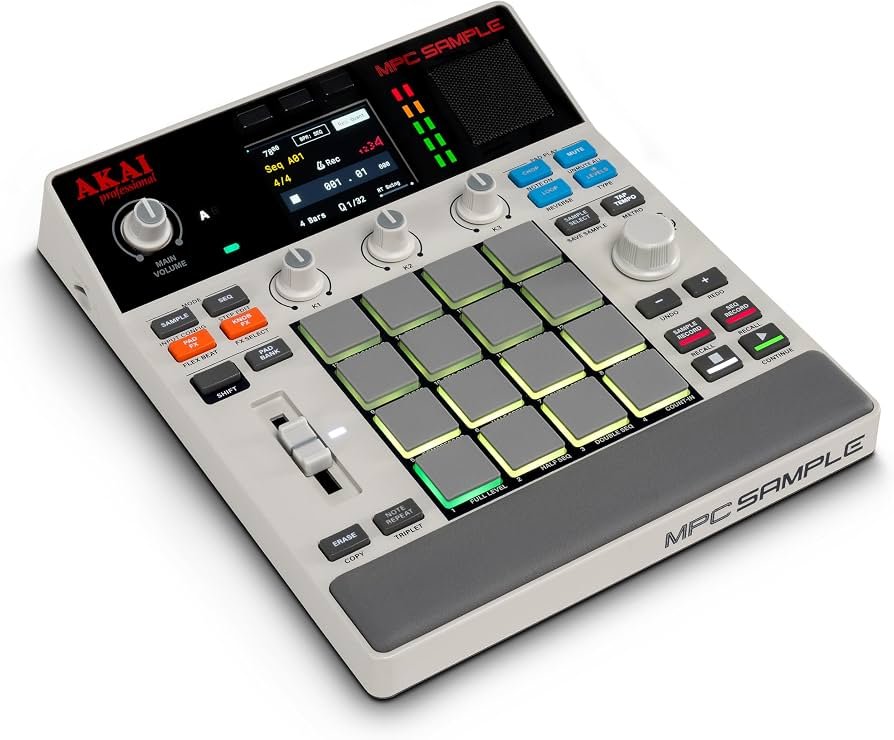
The free update adds third-party Knob FX plugins, pad resampling, scale-based tuning and a looper-style recording mode to Akai’s standalone sampler.
Akai Professional has released firmware 1.4 for MPC Sample, a free update that brings seven new features to the standalone sampler. The most significant is support for custom Knob FX plugins built by the MPC community. Alongside it come pad resampling, scale-based playing, a new recording mode and a set of workflow refinements that MPC users have been asking for.
The plugin support runs on Akai’s MPC Plugin Builder SDK, which launches in beta with this update. You load compatible effects through the MIDI Config menu, which takes MPC Sample beyond its built-in effects. For developers, the update adds USB remote access, internal monitoring, screenshots, and remote screen and audio sharing, so they can build and test new effects directly on the hardware.
“MPC Sample has always been about getting ideas down fast, and 1.4 is shaped by what our community asked for,” said Andy Mac, Executive Manager of Content, Artist Relations and Business Development at Akai Professional. “Opening the platform to community-built Knob FX means MPC Sample will keep growing in directions we haven’t imagined yet, and features like Resample Pad and scale modes give producers more ways to shape a sound and play it musically.”
Resample Pad, also listed as Flatten Pad, renders a pad and its Knob FX into a new sample. You can then put another effect on that sample. MPC Sample is built around one effect at a time, so this lets producers stack effects in stages and keep reworking a sound.

Sequence-Length Recording Auto-Play records a sample to the length of the current sequence. It plays the sample back as soon as recording finishes and creates a sequence event at the same time, so in practice it works much like a looper. The 16-Level Tune function now offers a choice of musical scales alongside the original chromatic mode, which means you can play melodies and sampled phrases across all 16 pads without leaving key.
Holding SHIFT while browsing samples now brings up a dedicated slider for audition volume. Step Edit also plays events automatically as producers move through a sequence, which makes timing adjustments easier to judge by ear. A new Usage Monitor in MIDI Config shows CPU, RAM, internal disk and SD card usage in real time. Its indicators turn red as each resource nears its limit, and a pop-up warning appears once RAM usage passes 80 per cent.
The update also makes MIDI Config easier to navigate and simplifies the names of samples created by the trim, copy, normalise and flatten operations. The fixes cover synchronisation glitches in FlexBeat, audio clicks in the Color Compressor, multi-pad recording, long sample names, duplicated interface elements and pad lighting behaviour.
Firmware 1.4 is available now as a free download for all MPC Sample owners, through either the official desktop updater or the manual .img update method. Akai says community modifications built for version 1.3 may need updating to work properly on 1.4. The MPC Plugin Builder SDK and full release notes are available on the MPC Sample downloads page.
Related
Discover more from Decoded Magazine
Subscribe to get the latest posts sent to your email.