


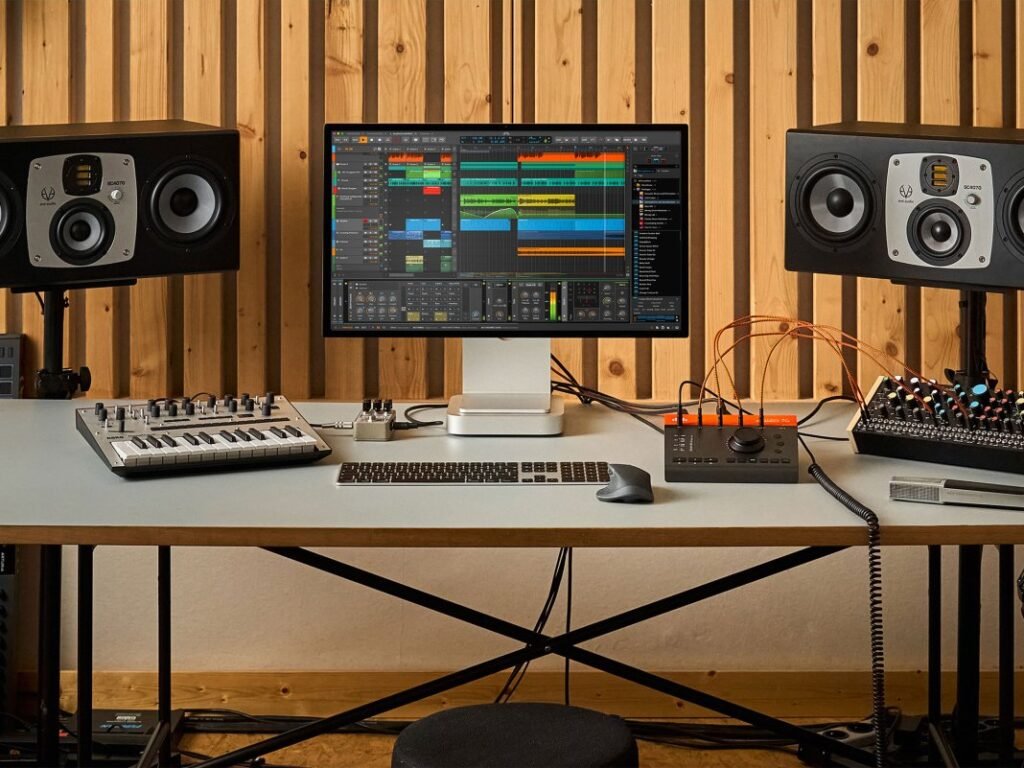
Bitwig Studio 6 has arrived, bringing a number of new features and workflow improvements to the popular DAW platform.
Aiming to deliver “fresh and faster ways to work”, Bitwig Studio 6 includes a hefty upgrade to its automation editing capabilities, new editing options and project-wide key signature, which helps producers craft melodies by guiding them within a predefined key.
There’s also been a number of updates to the platform’s user interface, aiming to provide smoother navigation and easier customisation. Let’s take a closer look at what’s new in Bitwig Studio 6:
Upgrades to automation editing

Bitwig Studio 6 brings two new ways to edit automation and access automation curves. Firstly, you can now press the A key to switch to Automation Mode, and overlay each track with the parameter last touched. All automation for any track can also now be accessed in the Detail Editor panel.
There’s also been a number of changes to the automation editing workflow in a bid to make the experience more “unified”, Bitwig says. They include the ability to click near a line to quickly move it up or down, to freely drag automation points past others to overwrite them, and the ability to press H for hold behaviour, meaning a parameter will stay at a flat value until the next automation point. There’s also an upgraded algorithm for the freehand pencil tool, making hand-drawn curves clean, simple ones which can be easily edited later.
Automation clips


In Bitwig Studio 6, automation can be manipulated in clips – similar to the platform’s audio and note clips – with possibilities including independent looping and start times, sliding clip contents in time, and stretching clips. These clips exist alongside traditional track automation, and can be saved to the library for later use.
Clip aliases

In a totally new feature for Bitwig Studio 6, clip aliases present a new way to create structure and sequence in your music. Essentially, instead of duplicating a clip across a track, you can now drag it as an alias, meaning all clips under that alias will be edited when one of them is, with other clip settings remaining unchanged. Clip aliases work with audio, note and automation clips.
Project-wide key signature

As well as standard tempo and time signature information, projects in Bitwig Studio 6 can now be set to a specific key signature, helping producers guide notes and create melodies, chords and harmonies. A Snap to Key function can be utilised by pressing the letter K on your keyboard, which can also be combined with the Pencil tool for “speedy creation that’s always in key”. There’s also a Quantize to Key function which snaps existing notes or clips to a chosen scale.
This new key signature can also be used to control note FX, with six note-shifting devices – including Arpeggiator, Randomize, and Key Filter+ – compatible with the Use Global Key option.
Updated user interface

There’s also been a number of updates to Bitwig’s user interface in version 6. Editing tools are now laid out as a palette on the right side of the interface, grid appearance can be adjusted from each editor via the Editor Settings menu, project-wide visual controls are accessible by right clicking the top of the Bitwig window, and track headers are now more dynamic when resized.
Additionally, Bitwig Studio 6 features a new Arranger Auto Zoom feature – which makes a selected track or lane larger while keeping everything else the same size – and Clip Launcher, which displays the clip position and loop count for each track.
Pricing & availability
Bitwig Studio 6 is available as a free upgrade to all existing Bitwig users. Meanwhile, new Bitwig customers can get the latest version now at a number of tiered price points, with Bitwig Studio Essentials, Bitwig Studio Producer and the full version o f Bitwig Studio priced at £79, £169, £339, respectively.
All the new features detailed above are available in all three versions of Bitwig Studio.
Learn more at Bitwig.


Sam is the Associate News Editor for Guitar.com and MusicTech. Thoroughly immersed in music culture for the majority of his life, Sam has played guitar for 20 years, studied music technology and production at university, and also written for the likes of MusicRadar, Guitar World, Total Guitar and Metal Hammer.
Get the MusicTech newsletter
Get the latest news, reviews and tutorials to your inbox.