


There’s a particular kind of moment that tends to arrive when you introduce a new piece of hardware into a long-established workflow. It’s not the unboxing, and it’s not the first hour of exploration. It’s the quieter point that follows, where you find yourself asking a far more practical question: does this actually move me forward, or does it ask me to step sideways in order to accommodate it?
That, for me, is where the Ableton Push 3 reveals itself.
The challenge it faces is not one of capability. In many respects, it is an exceptionally well-realised piece of equipment. The real question is whether it can integrate into a process that is already fast, already resolved, and already deeply internalised. If it cannot do that, the burden shifts, and the question becomes not what Push can do, but what I would need to change in order to use it. For anyone with an established way of working, that is a far more significant proposition than it might initially appear.
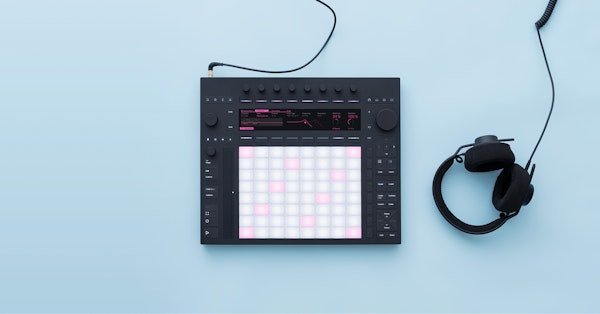
There is no denying the physical and technical achievement here. Push 3 is beautifully built, with a solidity and clarity of layout that immediately suggests care and intent. Its integration with Ableton Live feels complete in a way that goes beyond the idea of a traditional controller, behaving more like an extension of the software itself. The auto-configuration, in particular, removes a layer of setup that has historically been part of integrating hardware into a DAW, and there is something undeniably elegant about that.
On paper, and in demonstration, the feature set is compelling. The ability to shape MIDI data in real time, to adjust note length across a clip as a form of density control, to contour velocity in a tactile and immediate way, or to introduce probability into peripheral elements such as ghost notes and light percussion, all point towards a workflow that is fluid and responsive. The inclusion of a built-in audio interface and standalone capability further reinforces the sense that this is intended to function as a complete creative environment rather than a peripheral.


Sitting with it, however, the reality begins to diverge from the promise in more subtle ways. Much of what makes Push 3 powerful is rooted in a particular way of working, one that leans heavily on Session Mode, on clip-based iteration, and on the idea of building music through layers of variation and performance. The official material around the device leans into this heavily, presenting an image of effortless creativity where ideas emerge quickly and are shaped in real time. The suggestion is that this kind of immediacy is inherent to the device itself.
In practice, that fluency appears to be the result of familiarity rather than the starting point. It reflects time spent with the instrument, and in many cases a pre-existing relationship with earlier Push devices or with a session-based approach to composition. Without that foundation, the experience can feel less like immediacy and more like indirection, where even simple tasks take longer to execute, not because they are inherently complex, but because they are being approached through a different conceptual model.
For someone whose process is rooted in Arrangement Mode, and in a linear approach to building tracks from the ground up, this becomes particularly apparent. The onus shifts towards adapting the workflow to suit the device. Audio-based drum programming, which offers a certain immediacy and flexibility, begins to give way to MIDI if one is to take advantage of Push’s deeper features. Moving ideas into Session Mode in order to explore variation, and then back again into Arrangement, introduces a layer of translation that simply does not exist in a purely linear process.
There are, nevertheless, moments where the value of Push begins to emerge. Subtle micro-variation, applied with restraint, can be explored quickly, and the ability to introduce low-probability ghost notes into percussion or reshape note length across a pattern does encourage a slightly different kind of listening. These are not revolutionary ideas in themselves, but the tactile access to them can open up small pockets of creative exploration that might otherwise be overlooked.


Ultimately, the question returns to one of speed and cognitive load. If a tool does not make a process faster, lighter, or more intuitive, then it has to offer something else of equal weight. In this case, the need to step outside of a familiar environment, to translate material into a form that Push can fully engage with, and to navigate a different set of abstractions introduces friction rather than removing it.
That is not a failure of the device, but a reflection of fit. For those who are starting out within Ableton, or who have built their process around Session Mode and clip-based composition, Push 3 is likely to feel like a natural extension of their creative space. For performers, or for those seeking a more tactile and less screen-focused way of working, it offers a compelling and well-integrated solution.
For those with a long-established, arrangement-focused workflow, the proposition is more complex. It quietly asks for a rethinking of process, and unless the benefits are immediate and undeniable, that is a difficult trade to justify. It is perhaps in a live context, where tactile control, immediacy, and the ability to introduce controlled variation in real time carry far greater weight, that Push 3 feels most naturally at home, offering a cohesive and expressive surface that could genuinely earn its place.
Related
Discover more from Decoded Magazine
Subscribe to get the latest posts sent to your email.