


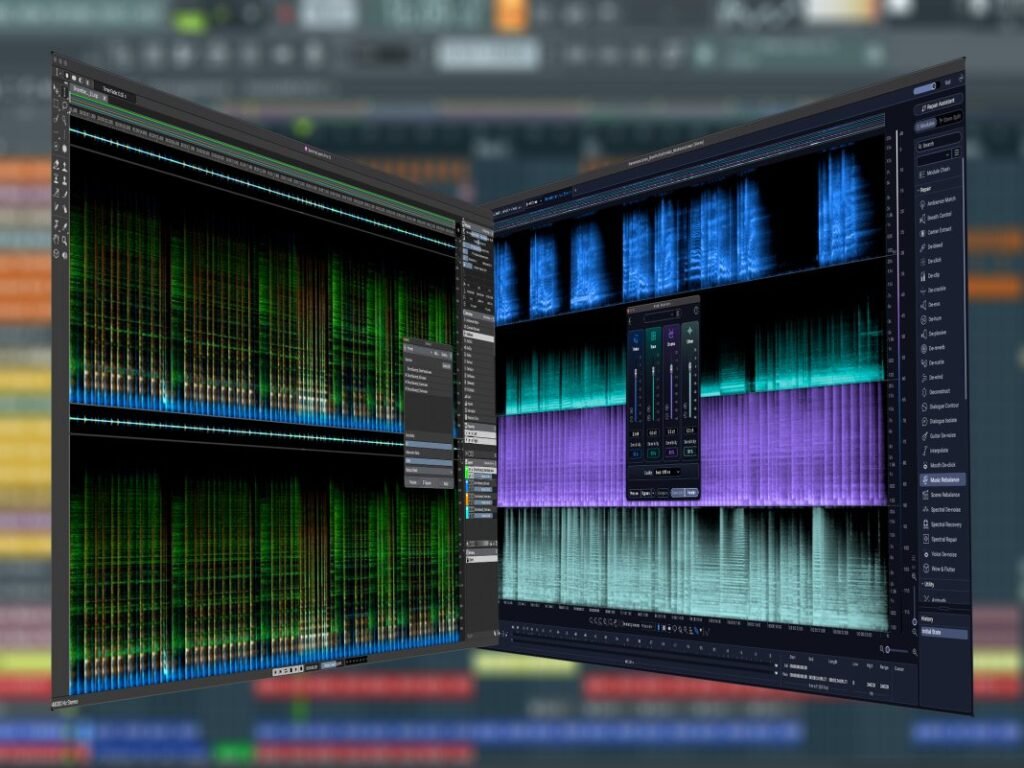
Since being slapped down by SpectraLayers 12, RX has been training hard, improving its chops and honing its skills, and is now ready for a rematch. But has RX12 piled on enough beef to retake the spectral editor crown? And what’s this hoving into view? Why – it’s SpectraLayers 13.
Which is the best spectral editing software?
Facing off in this showdown are the top editions of each app, namely iZotope RX12 Advanced and Steinberg SpectraLayers Pro 13. It was to be SpectraLayers Pro 12, but Steinberg released the 13th edition just as we were about to publish the article… admittedly, this is better than Steinberg releasing v13 a few days after publication!
The match will last for five rounds, each pitting the two against each other in areas of shared functionality. I enter into this with no idea of which app will come out on top so, without further ado… seconds away!
Round 1: Spectral Editing

Spectrograms
RX draws its spectrogram on the fly, adapting the level of detail as you zoom in and out. This is convenient but slows down screen redraws, especially at higher zoom levels. SpectraLayers creates its spectrogram when it loads a file, which makes for fast scrolling but demands manual adjustment of detail settings when needed.
Spectrograms are harder to read and navigate than conventional waveforms, and so both apps provide a conventional waveform readout too. RX overlays this directly on top of its spectrogram, with variable opacity, and this is slightly easier to work with than the separate panel shown above SpectraLayers’ spectrogram. Also, RX displays a waveform overview of the entire file that SpectraLayers lacks. However, SpectraLayers can shift its spectrogram into a quasi-3D view that makes it much easier to read and understand the audio’s spectrum.
Mouse tools
Both apps provide mouse tools for selecting time and/or frequency ranges within the spectrogram, but SpectraLayers has a few more options here than does RX. SpectraLayers also includes interactive tools that RX lacks, such as erasers, pencils, cloners and so on that allow direct interaction with the spectrogram.
Layers
SpectraLayers layer-based concept makes it easy to fine-tune edits and processes. RX has no direct equivalent, although its compare/undo/redo system allows for similar experimentation and fine-tuning, albeit in a less streamlined way.
Outcome
By virtue of its layer-based editing and greater variety of mouse tools, I call this round for SpectraLayers, but RX proves itself to be no slouch.
Round 2: Fixing common glitches

Clicks and crackle
RX’s De-click and SpectraLayers’ DeClick modules are designed to find and remove random clicks and crackles that can be caused by poor cables, interference, incorrect setup of your audio interface, and so on.
Processing an entire recording with either module (as opposed to only processing selections) tends to create a slightly processed sound everywhere, not just where clicks are removed. Using lighter settings reduces artefacts, but runs the risk of missing – or not fully removing – some clicks. The more extensive controls offered by RX means click detection can be honed without increasing the processing artefacts, and its results tend to be more transparent than SpectraLayers’.
Digital clipping
If the clipping in a recording is minor – a tiny crackle here and there – then both apps can tidy this up cleanly enough, but RX does it marginally better. If a recording has been heavily over-cooked, there’s little either app can do but dial down the nastiness, but SpectraLayers’ DeClip does a slightly less nasty job than RX’s De-clip.
Mic pops
There’s very little to separate RX’s De-plosive from SpectraLayers’ DePlosive. Both have a very similar suite of parameters for honing the process to suit the situation, and both deliver very similar – and not always perfect – results. I find manual pop removal via spectrogram frequency selections to be easier in SpectraLayers.
Sibilance
SpectraLayers’ DeEss and, when running in its Classic mode, RX’s De-ess work much like a conventional de-esser – essentially a high-frequency compressor or dynamic EQ. I find these to be less effective than a standard de-essing plugin.
However, when running in its Spectral mode, RX’s module greatly outclasses its own Classic mode, SpectraLayers’ DeEss, and indeed most other de-essers.
Outcome
RX is the easy victor in this round, the only blow landed by SpectraLayers being that its DeClip module works slightly better than RX’s equivalent when presented with a completely trashed recording.
Round 3: Noise and bleed reduction

Broadband noise and hiss
RX’s Spectral De-noise and SpectraLayers’ DeNoise employ the long-established technique of taking a noise imprint and then filtering that imprint from the source signal.
Both apps provide a detailed set of parameters for tuning the noise reduction response, although the parameters on offer vary between the two. Results are just-about equal from both, although RX’s approach makes the sweet spot, where noise reduction balances against artefact addition, that little bit easier to find than in SpectraLayers.
RX’s Voice De-noise is similar to Spectral De-noise but is optimised for vocals and dialogue, and so handles these better. In contrast, SpectraLayers’ Voice DeNoise uses ML-based processing to separate the voice signal from the surrounding noise, giving even better results than RX with just a couple of clicks.
Mic spill and bleed


SpectraLayers’ DeBleed module analyses audio held in one or more layers, and filters the result from the layer being processed. This is a particularly effective workflow for de-bleeding drum mics.
When working in its Classic mode, RX’s De-bleed works in a similar way, although can only base its analysis on audio held in a single other open tab, which I find inferior to SpectraLayers’ approach. However, De-bleed received a new ML-based mode in RX 12, allowing it to recognise vocals, guitars, pianos and even individual instruments within a drum kit, and then isolate your chosen source at the touch of a button.
Neither app can perform magic here, and both work better for reducing rather than removing mic bleed. RX’s new ML-based mode is by far the easiest to use and generally delivers the best results, while its Classic mode is on par with SpectraLayers, and didn’t perform particularly well in my tests.
Outcome
The two apps are closely-matched here, with little to choose between them. RX lands a powerful blow with its ML-based De-bleed mode, but SpectraLayers’ counters strongly with its layer-based de-bleeding workflow.
Round 4: Unmixing and splitting

Stem splitting
RX’s Music Rebalance and Scene Rebalance can be used to rebalance elements of a mix or to separate them entirely. The former module recognises voice, bass, drums and the remaining “other” stems; the latter, aimed at TV and film production, recognises voice, music and effect stems. When separated, each stem is displayed as a lane within a single editor tab, but further editing of a stem generally requires it be opened in its own tab.
The SpectraLayers equivalents are Unmix Song and Unmix Soundtrack. Both recognise the same stem types as RX’s modules, but Unmix Song also recognises guitar, piano and sax & brass stems. Separated stems are placed into layers, making it easy to rebalance, edit and process each in isolation or as a whole.
Quality of recognition and separation is similar in both apps, although SpectraLayers’ piano and sax & brass recognition isn’t as good as for other stems… but at least it tries!
Other stem separators
RX also uses ML-based recognition techniques to power its Dialogue Isolate module, which rebalances/separates dialogue recordings into voice, reverb and noise components.
SpectraLayers hits back with an intense flurry of separation modules: Unmix Drums, Unmix Chorus, Unmix Crowd Noise, Unmix Instrument, Unmix Sound Effects, Unmix Two Voices and Unmix Multiple Voices. It even has an Unmix Transcription module that transcribes dialogue tracks in most widely spoken languages with an impressive degree of accuracy.
Outcome
RX’s rebalance modules have improved massively in its latest release, and its lane-based display is a welcome improvement too. However, SpectraLayers’ layer-based approach is superior; the range of separation tools and stem-/sound-types that it recognises is wider, and its extraction quality is on par with RX. Despite RX’s strong showing, then, SpectraLayers has this round sewn up.
Round 5: Processor combinations
Module chaining

Both apps include a special module in which chains of other modules can be created. Each item in the chain has its own module settings, and can be targeted at its own frequency and/or layer selection too. By virtue of its layered approach, SpectraLayers is marginally more versatile here, but there’s really nothing much in it.
SpectraLayers 13 has gained a batch processing ability that brings it in line with RX’s batch processing abilities. This means both apps allow you to queue multiple files, each with its own module chain and module settings, and then get on with something useful while your computer churns through the processing.
RX also includes a couple of modules that are essentially front-ends for combinations of other modules. The most prominent of these is Repair Assistant, which wraps various corrective modules into a single module with a streamlined interface. The constituent modules and controls vary depending on whether it’s running in Voice or Music mode, and it’s a very quick and easy way to clean up common issues. Similarly, Guitar De-noise can remove amp noise, string squeak and pick noise in a single module, but what we’re actually getting is, respectively, spectral noise reduction, de-essing and de-clicking.
Outcome
There’s not much to choose between the two apps’ module chaining… umm… module, but the ease and convenience of Repair Assistant and Guitar De-noise see RX come out marginally on top.

Things the apps don’t have in common
Despite the extensive areas of crossover between RX and SpectraLayers, each does have features the other lacks. I’ve already mentioned SpectraLayers’ layer-based concept and wider choice of stem-separation modules, which will appeal to many producers and post-production engineers. Also, SpectraLayers includes the very useful Reverb Match and Voice Enhance modules, which have no RX equivalents.
The same is true the other way as well, with RX’s loudness modules being particularly attractive for mixing and mastering workflows: Loudness Control and Loudness Optimize aid with matching your audio to specific loudness requirements, while Streaming Preview simulates how your audio will sound on various streaming platforms. RX also includes modules for cleaning up common mic problems, such as De-rustle and De-wind, but these are part of the Advanced edition, aimed largely at TV and film production, and this leads us to the biggest and most glaring difference between the two apps: price.
At £298, the top-spec SpectraLayers Pro 13 costs £1001 less than RX 12 Advanced’s £1,299. At £389, RX 12 Standard includes all of RX’s music-focused tools, and is closer in price to SpectraLayers Pro, with the extra £100 easily justified by the inclusion in RX of standard plugin versions of many of its modules. However, many of the TV/film post-production tools that iZotope point to when explaining the Advanced edition’s pricing are right there in SpectraLayers Pro too, only without the £1000 premium.
And the winner is…
Pricing aside, it’s almost impossible to separate these two apps. RX’s modules are generally more tweakable and tuneable than SpectraLayers’, which is a plus, but SpectraLayers counters with it’s layers, and delivers results more quickly by keeping modules simple and parameter counts low, which is also a plus.
Both can get you out of a bad-recording-fix, and conjure the finest silk purse from the roughest pig’s ear. But both can also prove another old saying, namely “you can’t polish a t*rd”, with results that are barely an improvement on what was fed in. Much depends on the specifics of the recording and the specific faults you’re trying to fix.
So, in terms of pure functionality and capability, I call a draw. With pricing added to the final reckoning, though (and assuming you don’t need RX-specific tools) SpectraLayers Pro has to take the crown…
But, no doubt, iZotope is already limbering up for a battle of the v13s!