

Swedish audio company Softube has unveiled Flow Studio, a new control surface offering “album-ready signal chains and quick, hands-on control” in a compact form factor.
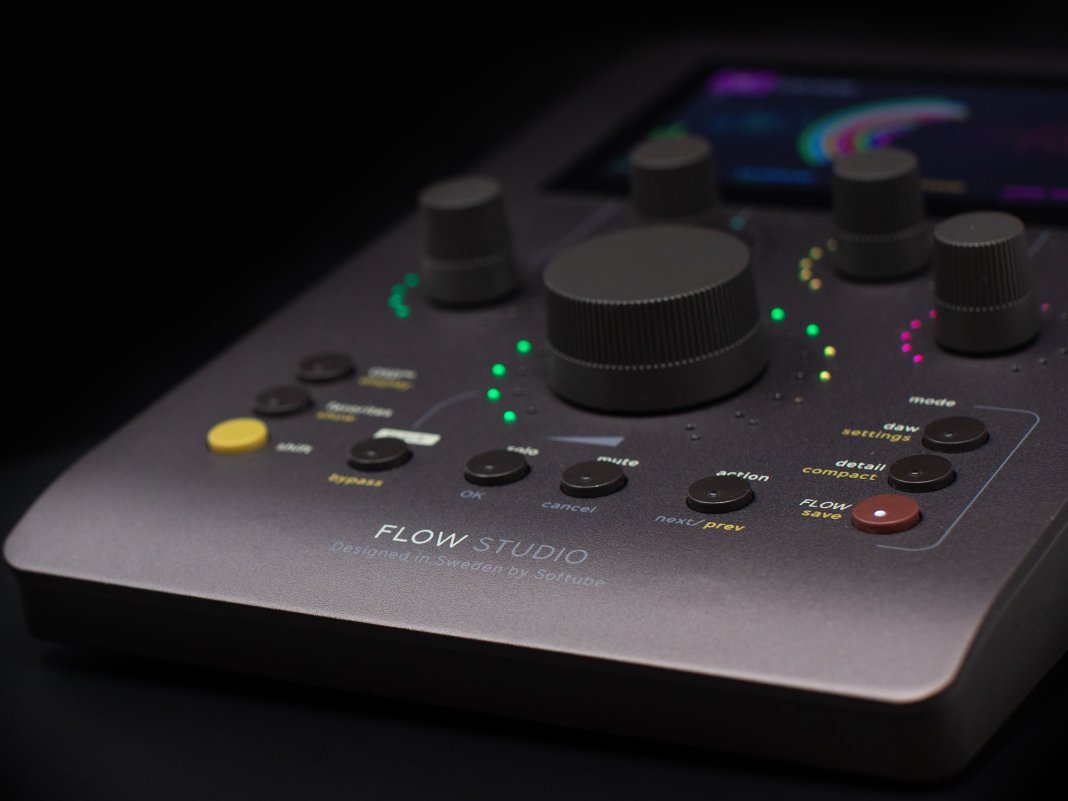
While other Softube control surfaces boast a number of knobs and faders reminiscent of a typical outboard mixing console, the Flow Studio condenses everything you need into just five knobs.

Each of them can adjust several controls at a time, including vocal tuning, delay, reverb, compression, saturation, guitar amps, and more. The large centre knob meanwhile, known as The Omni Knob, gives control for all eight macros in addition to master controls such as input gain and output volume.
The Flow Studio comes loaded Flow Studio Suite, which boasts over 100 signal chains designed to enhance vocals, guitars, synths, drums and more. These chains – called Flows – have been built by “top sound designers and music producers”, Softube says.
Flow Studio Suite also features 25 Softube software effects – including EQs, compressors, guitar amps, reverbs and delays – and this is expandable with an optional Flow subscription, which unlocks up to 145 additional Flows plus 65 plugins.
To streamline workflow in different phases of production, Flow Studio has three modes built in. DAW Mode is for control of parameters like track volume, pan, solo/mute and sends, Flow Mode is for exploring the Flow Studio Suite plugins, and Detail Mode allows the user to dive into each plugin in the signal chain for refined adjustments.
The Flow Studio also sports a 4.3″ full-colour hi-res screen, which gives feedback on metering and parameter adjustments via “inspiring graphics”.
Flow Studio is available now for €395/$399. For more information, head to Softube.


Harry Levin is a freelance journalist with credits in SPIN, Billboard, MusicTech, Grammy.com, Los Angeles Magazine, and more. His musical journey began 20 years ago with a Led Zeppelin CD. He played jazz trombone through college, produced large-scale electronic music events, and now spends his professional time writing and editing.
Get the MusicTech newsletter
Get the latest news, reviews and tutorials to your inbox.