


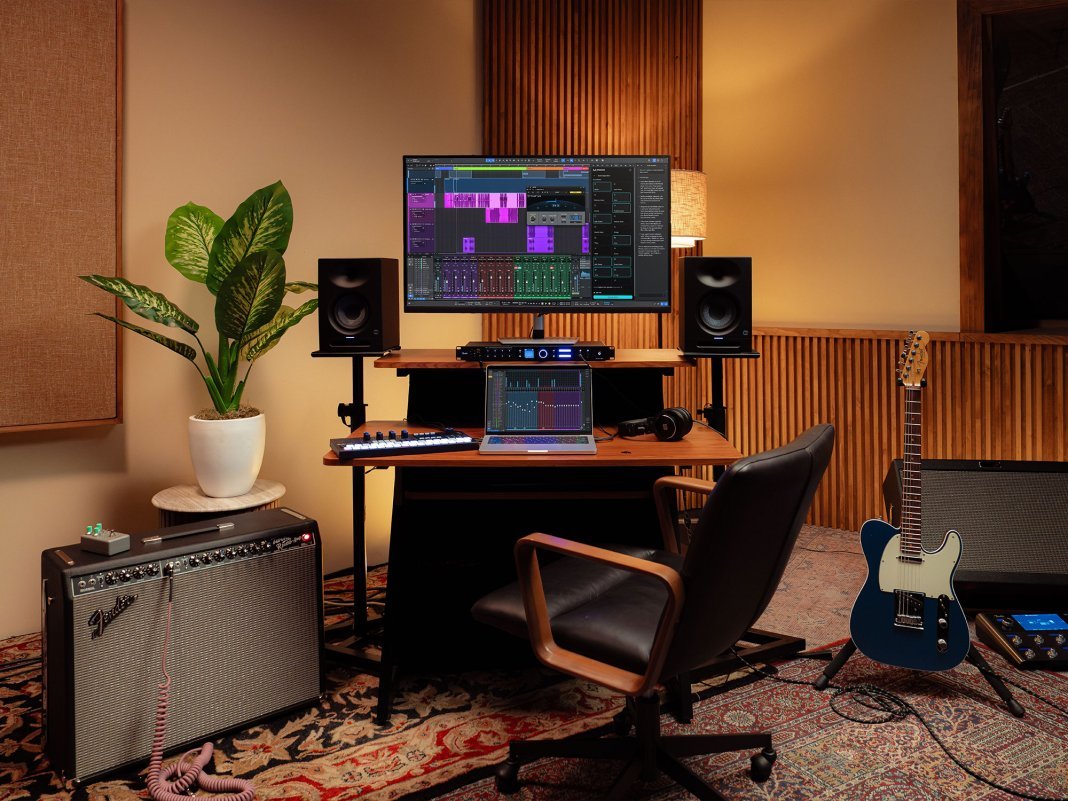
When Fender rebranded PreSonus Studio One as Fender Studio Pro, the change was more than just a shiny new badge. It married a fully mature DAW with one of the most recognisable names in guitar history, raising an obvious question: would Studio Pro continue serving the producers and musicians who already swore by it, or begin drifting towards a broader, more beginner-oriented ecosystem?
Now the rebranding dust has settled, I’ve journeyed to the Fender Showroom in Covent Garden — located in an 1859 Grade II-listed former stained glass factory — to find out.
The evening begins with a demo from Fender’s General Manager of Software, Arnd Kaiser. He’s joined by Gregor Beyerle, the man behind the camera for the DAW’s tutorials and educational content. The big question of the evening, of course, is what’s new in Fender Studio Pro 8.1 — and does this first major update after the rebrand suggest a bold new direction, a careful continuation, or a bit of both?
Moises AI integration
The most show-stopping features introduced in Fender Studio Pro 8.1 come by way of a collaboration with Moises: stem separation, stem generation, and voice replacement.
These tools have been available on Moises’ own platform for some time, but using them in combination with another DAW was cumbersome, requiring multiple steps of exporting, uploading, processing, and reimporting. In Studio Pro 8.1, Moises is integrated directly into the browser.
A light but palpable unease emerges, though Arnd is quick to reassure the room of Fender’s stance: “We have a very strict rule. We embrace modern AI technologies — you’ve seen a few of them today — as long as the artist stays in control.
“We want to have tools available to us, as artists, that make our lives easier, our workflows easier, that allow us to create, to be creative, but we would never do anything that replaces creativity or replaces the artist. The artist is always first.”
Native stem separation is nothing new. FL Studio received the functionality in October 2023, Logic Pro six months later, and Live more recently in November 2025. But Studio Pro isn’t simply playing catch-up here — the Moises stem splitting is more detailed than its peers, even pulling orchestral elements like strings and woodwinds into their own tracks.
During the demo, I’m thoroughly impressed by the quality; the separated stems are almost indistinguishable from the master when summed.
The stem creation features are even more astounding. Users can pipe in audio from their session alongside a prompt, and Moises responds with new context-aware parts. It’s Splice on steroids, and the process requires just a couple of clicks.
Last comes the vocal replacement. It’s no secret that many producers and songwriters hate the sound of their own voice. In Fender Studio Pro 8.1, the stage-shy can record a scratch vocal and immediately replace it with a professional vocalist, perfect for references and demos where the part will be sung for real later down the line.
An AI-assisted studio assistant
Moises isn’t the only way the Fender Studio Pro team have worked artificial intelligence into the DAW.
No more will users be hunting through manuals or skimming community forums when they get stuck, since the 8.1 update introduces a new ‘studio assistant’ chat feature that can solve both technical and creative roadblocks. It’s aimed primarily at production newcomers, for whom a professional DAW can be overwhelming.
Arnd Kaiser introduces the feature: “We wanted to create a new system that allows people to find the answer to their questions fast without having to leave the application, without having to search the internet.”
The assistant can ‘see’ the user’s open session, giving it richer context to provide accurate solutions. He then puts it to task troubleshooting a greyed-out track arm button — identified as a lack of selected input — and asks it to configure a signal chain that can grunge up an acoustic guitar take.
I quiz him on how intelligent it really is, and whether it’s listening to your audio. Could it identify problem frequencies in a boxy recording, for example?
“It doesn’t listen. I don’t know if it will listen at some point — it could — but that would take it in another direction.”
A new autotune device for vocal production
Fender Studio Pro already boasts tight-knit integration with Celemony Melodyne, but 8.1 introduces a new native autotune device designed for achieving professional results fast. Arnd and Gregor take us through the classic use cases first, from subtly tightened tuning to the all-too-familiar Cher effect.
They then introduce contemporary R&B sounds via the formant shifting control, though this can also be applied more practically to duplicated harmonies, mimicking the sound of a small ensemble. It’s a potent workflow for dense vocal stacks on a budget. As Arnd puts it: “These kinds of effects used to be only available in third-party plugins that often cost more than the [DAW] software itself.”
New scoring and composer tools
Elsewhere, Fender Studio Pro appears to be sizing up to Cubase, shipping an abundance of improvements for composers with the 8.1 update. It’s already a natural fit thanks to the existing integration of Notion, a scoring tool PreSonus bought in 2013 — and Studio Pro 8.1 further dissolves the barrier between score and DAW.
Arnd introduces the changes: “We’re at a point now where you could say there’s almost no difference in workflow, whether you start from the score and then move into mixing and playback, or whether you start in the traditional sequencer or DAW workflow, but then build a score from there.”
For anyone who’s worked with orchestral libraries, the benefits are clear. Articulation MIDI keyswitches have been separated from note data in the piano roll for more efficient editing, and each articulation change is automatically reflected in the score with appropriate symbols. Users can now set attack compensation — ideal for sustained or legato passages — so notes trigger earlier but remain perfectly locked to the grid.
The editing workflow is more holistic too, with repeats entered in the score reflected on the linear timeline, creating ghosted arrangement sections and keeping lyrics aligned for recording.
Most impressive of all? Users can now devise global instrument racks that live in shared memory for reuse across sessions. If you need to swap to an earlier version of a project, for example, you won’t have to wait for memory hogs like Omnisphere or Keyscape to load again.
Workflow and interface improvements
Along with a rebrand, Studio Pro 8 brought a broader interface refresh, including a timeline overview and native device controls — both somewhat akin to Ableton Live — and greater flexibility through detachable, scalable panels.
The 8.1 update continues this process of workflow refinement. Pitch curves are just one significant addition, letting users draw transposition envelopes directly onto audio clips in the timeline without having to use automation.
While online sentiment around the One-to-Pro rebrand was mixed, Arnd makes it clear that the DAW’s users remain the priority: “[Pitch curves are] a feature that so many people have requested, and I think this is a testament that we’re still listening to all of the feature requests out there, which really define the future of our versions.”
What does Fender Studio Pro 8.1 cost?
A perpetual licence for Fender Studio Pro is £170 which includes the current version of the software and one year of updates.
Users can also subscribe to Pro+, which bundles the DAW with the Fender Studio mobile app, Fender Notion scoring software, cloud-based collaboration tools, plus additional loops, samples, and plugins. The Pro+ Annual Plan is £159.99/year and includes a perpetual licence, while the Pro+ Monthly Plan is £20/month.
For owners of PreSonus Studio One who want to upgrade, discounted pricing is available.
AI, ethics, and the wider Fender ecosystem
The evening closes with a short Q&A. Arnd Kaiser is joined by Matt Henninger, VP of Business Development & Strategy at Moises. There’s an easy rapport between the two, who are now seeing their companies’ collaboration on the cusp of release. Fender’s united ecosystem is a tantalising prospect: the Studio Pro DAW, interfaces, hardware controllers, and now AI creative tools — not to mention world-renowned guitars, amplifiers, and effects — all under one roof.
Also on the sofa is Fender Studio Pro evangelist and chart-topping producer, David King, who highlights an inspiring use case for the Moises stem separation: “Back when there were the Malibu fires, part of my studio got burned down. We lost a lot of files … Now with the stem separation, those songs can come back.”
Matt Henninger then speaks about Moises’ stance on ethical AI within music — how it’s trained on fully licensed content, and how he’s often hitting pause on new ideas to ensure the company only develops tools that sit on the right side of the line. It’s a sober, cautious approach that requires, in his words, ‘knowing when to stop’. It feels like Henninger truly understands the gravity of what this technology could create, but more importantly what it might destroy if not handled with care.
But after witnessing the Moises integration during the earlier demo, he’s clearly excited, too: “To me, all art comes from giving musicians tools that they can bend, break, destroy, wire wrong. That is our job. Our job is to provide a tool that can be leveraged in a way that the artist chooses.
As a tool, this stuff is fascinating and can really change the way art is consumed … This is the beginning of something awesome, and I can’t wait for people far more creative than me to break it, and then I can’t wait to hear the music.”
Read more music technology news.

James is a freelance writer for MusicTech. You’ll often find him pushing plugins to their limits, skimming through the latest sample packs, or obsessively watching Rig Rundowns. With a background in live music, he also loves finding elegant solutions to complex problems — especially when it comes to gear.