

If Focusrite’s name is synonymous with affordable interfaces, Universal Audio might be synonymous with expensive. Its Apollo interfaces helped popularise recording through onboard DSP, bringing convincing emulations of classic hardware into countless studios.
In 2021, UA aimed to disrupt that image with Volt, a cheaper interface series that includes vintage-style preamps and even 76-style analogue compression on select models.
The second generation has now arrived, with a six-device roster split across standard and Max. I’m testing the Volt 2 Gen 2 and Volt 4 Max to find out whether one deserves a space on your desk – and which model makes the most sense.
Are the UA Volt interfaces well made?
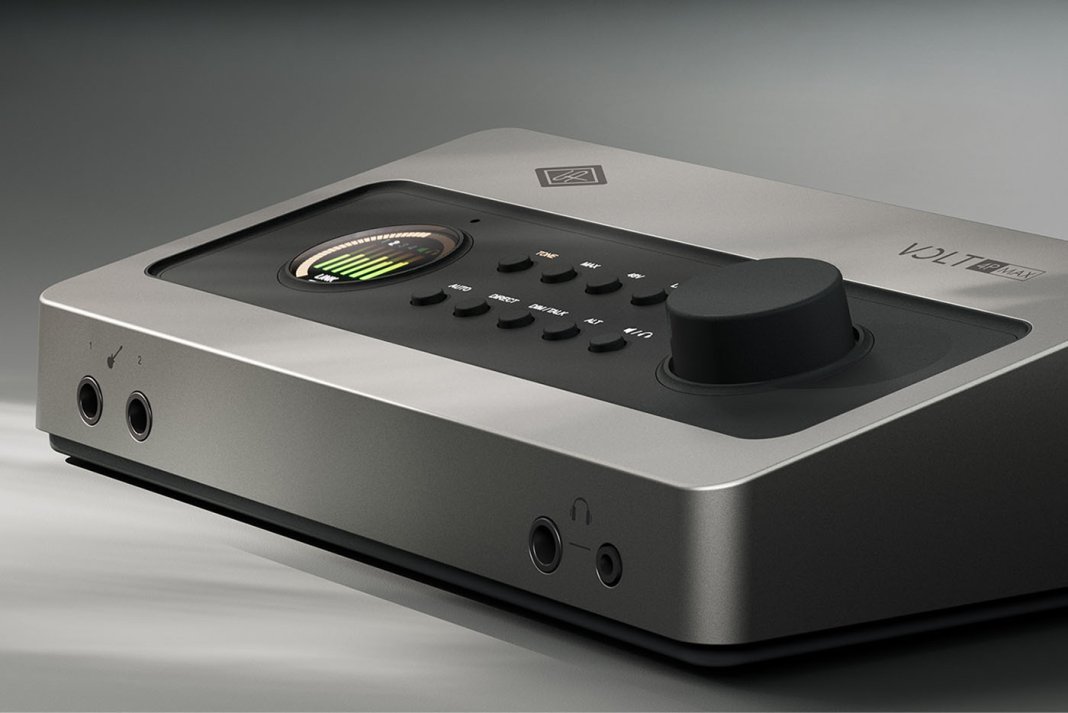
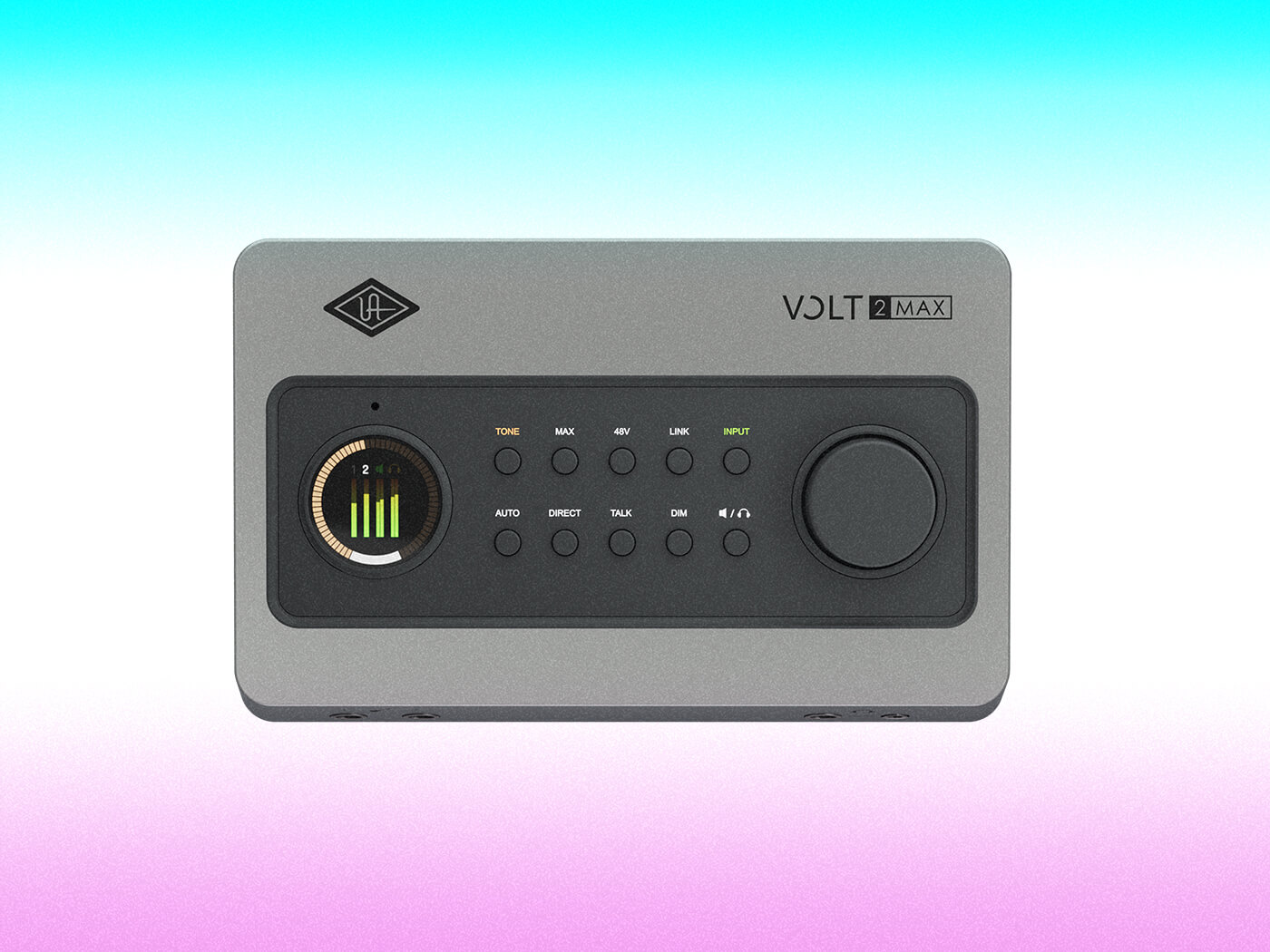
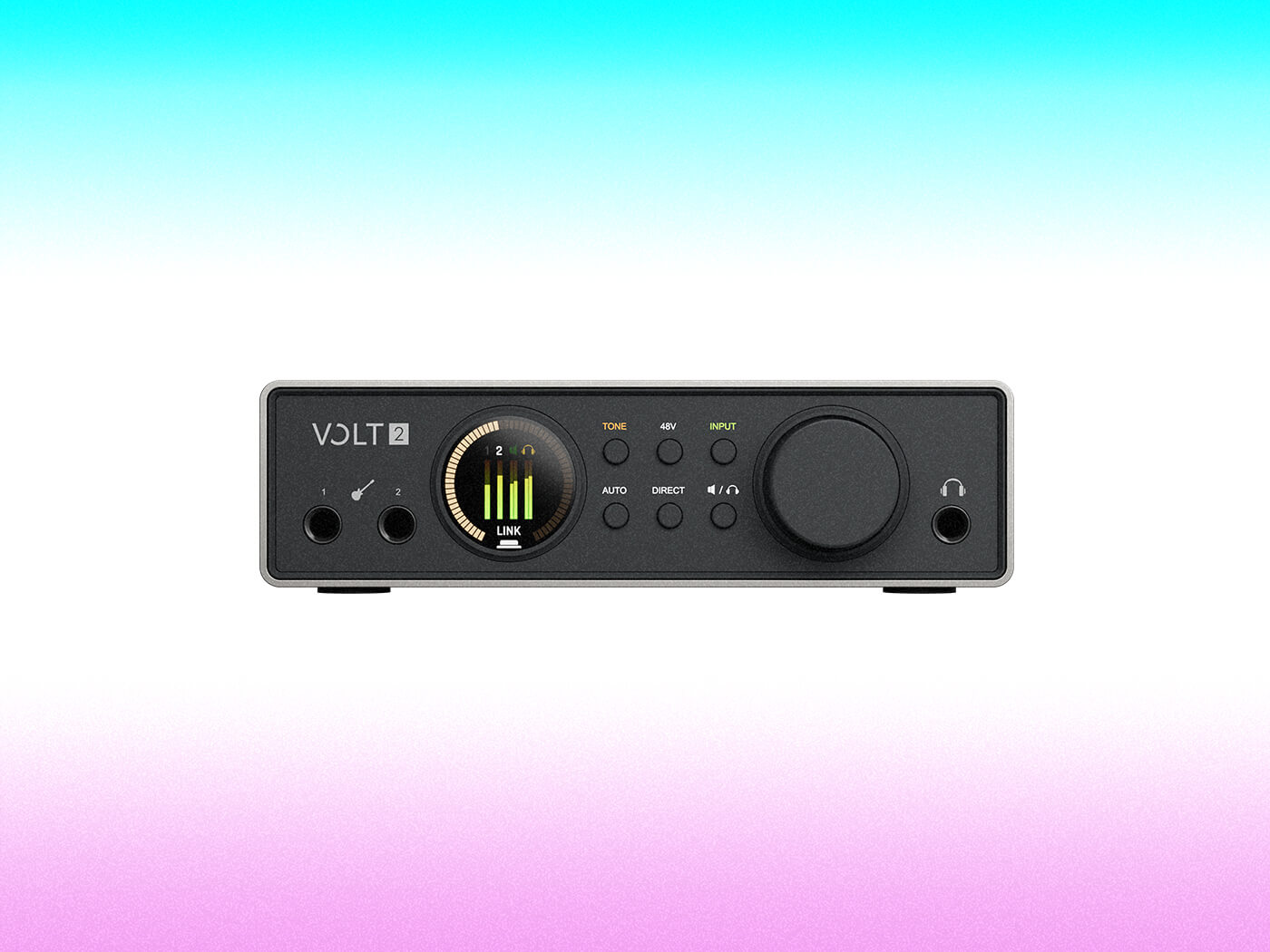
While the first-generation Volts evoked the look of vintage hardware, the new lineup leans on a more modern aesthetic. The matte grey finish looks really smart, with a bright display and softly backlit button labels that are easy to read at a glance.
Both the Volt 2 Gen 2 and the Volt 4 Max occupy a similarly compact footprint on the desk; the Max features top-down controls akin to UA’s Apollo Twin interfaces, while the Volt 2 is operated via the front panel.
In both appearance and usage, I prefer the Max form factor, whose design feels decidedly more like the central hub of a recording setup. The Volt 2, meanwhile, can be stacked with other gear or tucked into a rack shelf, but a single-finger button push can move it around on the desk due to its lack of heft.
Neither Volt interface feels quite as premium as it looks. The buttons have a slightly plasticky quality, and there’s some wiggle on the control knob that calls its long-term durability into question. But visually speaking, the new Volts may look the slickest on the market.
Recording audio with a UA Volt interface
The new Volt interfaces connect over USB-C and are bus-powered, although an additional power connection may be required if you’re recording with a phone or tablet. I’m using a MacBook M4 Pro, and setup only takes a few minutes via UA Connect.
I begin with the Volt 4 Max, connecting my Korg Electribe ER-1 to the two combo jack/XLR inputs on the back, although there are also two Hi-Z inputs on the front for guitars and basses.
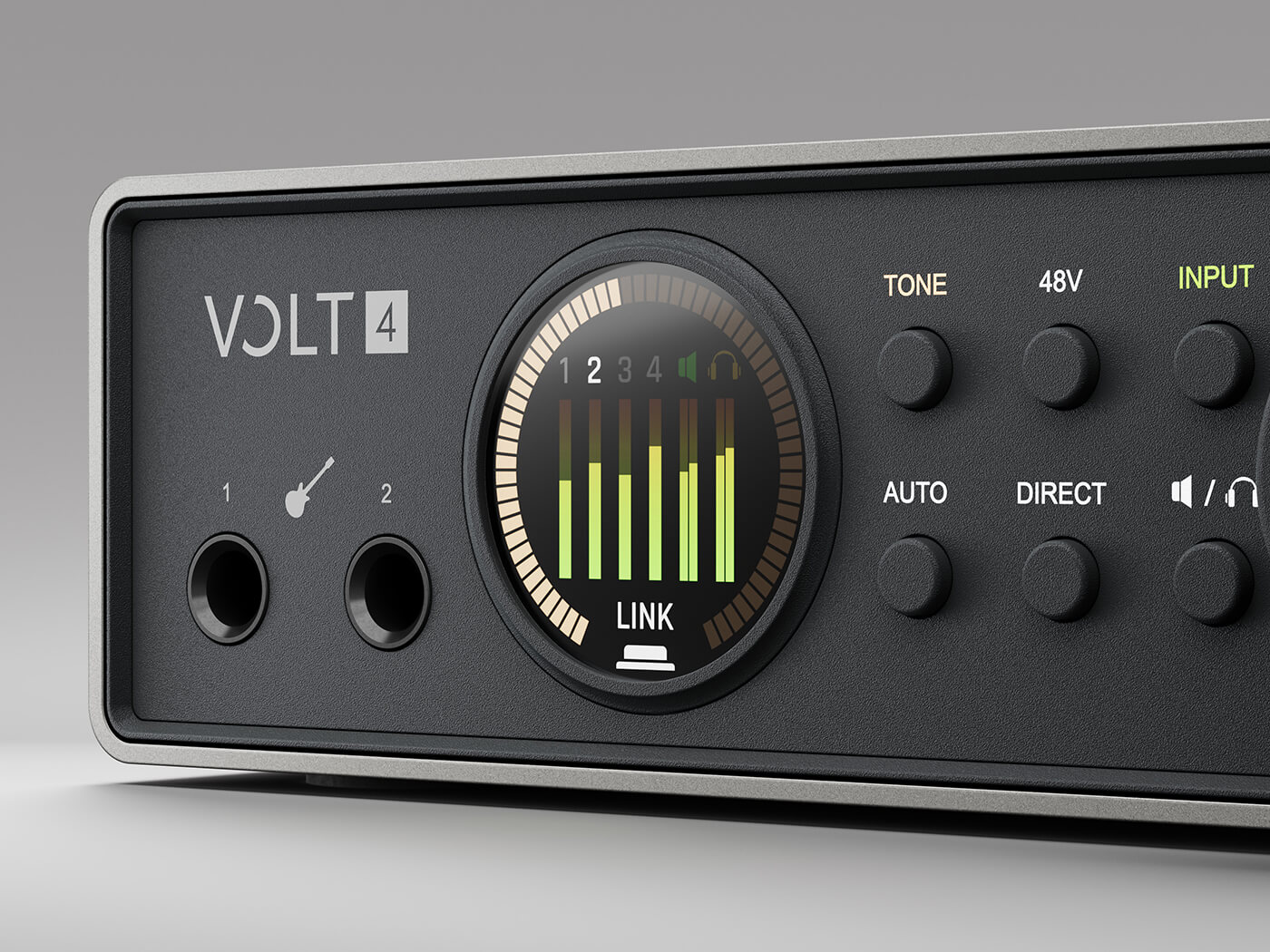
After building a quick drum pattern, I use the Auto-Gain feature to set levels. By default, it targets -8 dBFS, but this target can be changed within the UAD Console application. Since I’m recording in stereo, I link the two inputs within the Volt’s simple menu system to ensure their levels are matched.
I get a solid signal after the first pass, but when I run Auto-Gain again, the level ends up higher even though my drum loop is playing at the same volume both times. I’m also getting a peak readout of around -3 dBFS from Ableton, despite the Volt’s -8 dBFS target.
Curiously, UA advises against using Auto-Gain with the Hi-Z inputs, but I find it genuinely useful once I plug in my guitar, quickly establishing a sensible level while I strum a few chords. This is probably where I’ll use it most, preferring to adjust gain manually for sources like my Electribe where the overall volume remains static.
What if you set your gain levels too high? The second-gen Volts feature Clip Protection, implemented via software limiting in the standard models and an analogue hardware limiter before the A/D converter in the Maxes. It’s a useful safeguard against unexpected peaks, but also helpfully attenuates the signal if you’re driving the preamps particularly hard – more on those next.
How do the Volt tone-shaping preamps sound?
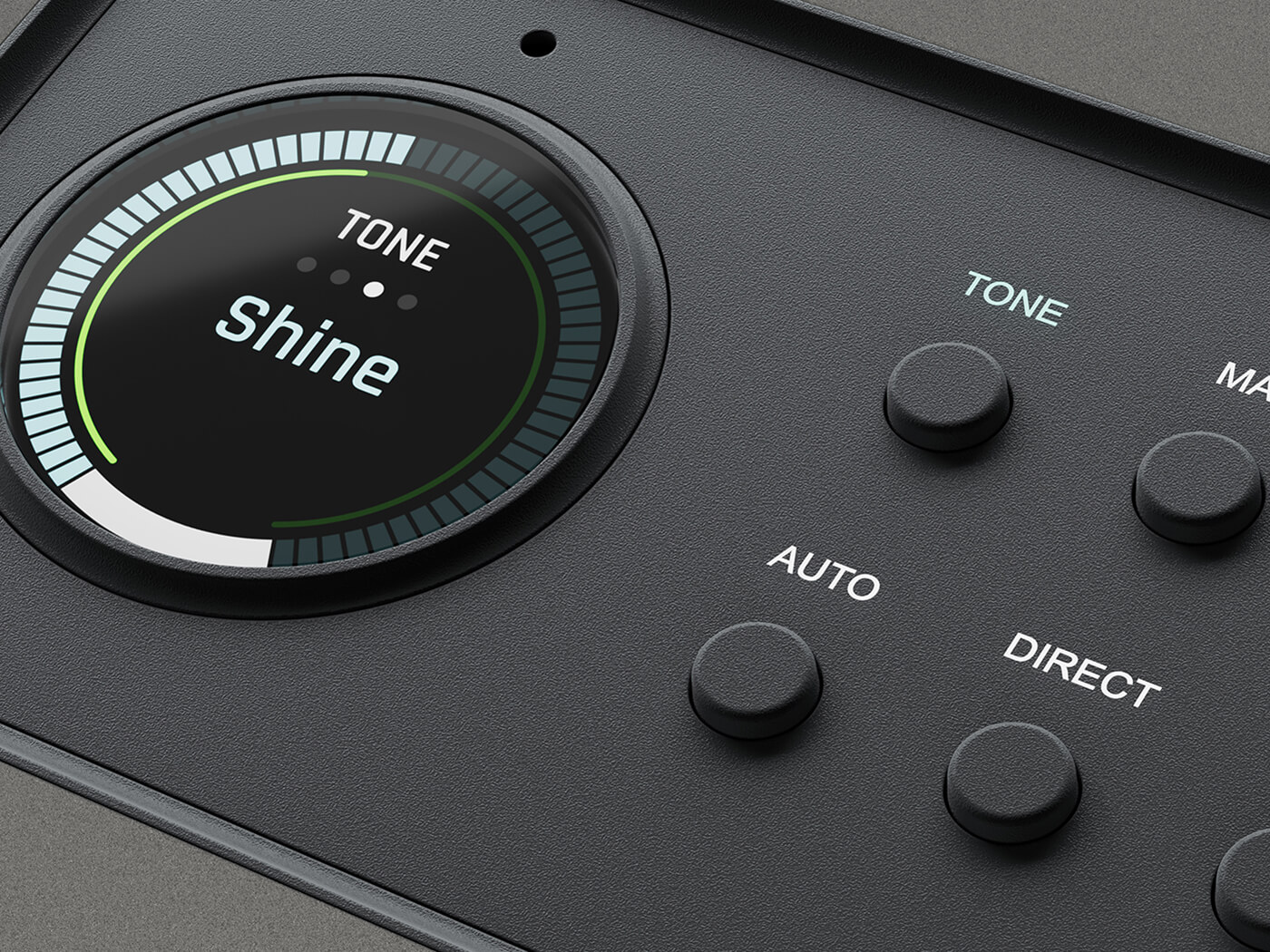
The second-generation Volts feature upgraded preamps on inputs 1 and 2, or all four on the 4P Max. Recordings sound clean and clear, with higher gain levels imparting pleasing saturation – but the headline feature is arguably the expanded onboard tone-shaping.
While the original Volts included a Vintage mode inspired by UA’s 610 tube preamp, the new models offer three flavours of colouration that can be set independently per input.
The Warmth setting provides a thick, tube-like quality. It’s a little dark for my Electribe, but I plug in my bass guitar, crank the gain, and promptly lose half an hour jamming with a remarkably fat and fuzzy overdrive. I then channel my inner Jimmy Page, who once created a scrappy electric guitar sound by plugging straight into a mixing console.
Focus brings out the midrange more, accentuating the Electribe’s clap, while Shine adds air and sparkle. Both are bright and punchy, making my original dry recording rather lifeless by comparison. Pushing the gain further reveals a brittle quality; these modes work best for subtle polish and character.
The workflow is fast and accessible too, with no plugins to load or configure. I find myself experimenting with different combinations of instruments and preamp tones, and it’s genuinely exciting to have this kind of creative processing at your fingertips within an affordable interface.
The Max models go further with six compression presets inspired by LA-2A, 1176, and VCA designs tuned for vocals, acoustic and electric guitar, and bass. You can’t configure any compression parameters here, only the preset and input gain. I like that simplicity – if it sounds decent, roll with it.
Each preset adds flattering control to its intended source during testing, though I don’t find the compression nearly as creatively inspiring as the tone-shaping modes. I’m not convinced it’s worth paying the Max premium for this feature alone.
Monitoring with a UA Volt interface
Each Volt interface has stereo monitor outputs, though—thanks to their additional line outs—4 Max and 4P Max users can connect two pairs and switch between them using the dedicated Alt button. It’s a convenient feature for mixing, and one I wish had been included on the 2 Max.
If you’re using headphones, the Max models include an extra minijack output. Although it’s a mirror of the quarter-inch socket, it’s still handy for collaborative sessions, with cue mixing handled via UAD Console. Speaking of, all Volt interfaces offer direct monitoring with a single button push.
Each Max interface has a built-in talkback microphone too. I’m surprised by the quality; it offers more fidelity than my MacBook’s integrated microphone, and I even manage to record it into Ableton Live as a sort of makeshift room mic. This functionality, alongside the Alt monitoring, puts the 4 and 4P Max interfaces in the running for more ambitious studio setups.
A sidenote for modular enthusiasts: all Volt outputs are DC-coupled, so they can be used to send control voltage to external gear.
Which Volt should I buy?
Choosing between the six new Volt interfaces is ultimately a balance of connectivity and price – and potentially, which conveniences you’re prepared to sacrifice.
At £120, the Volt 1 Gen 2 is an appealing entry point, although the absence of MIDI may deter electronic musicians. I’m more bemused by its omission on the £170 Volt 2 Gen 2. It’s vastly overshadowed by the Volt 4 Gen 2, which features four analogue inputs, MIDI, ADAT expansion, and a USB-C hub connection for £240.
The £260 Volt 2 Max makes things trickier. I much prefer its top-panel controls, while the talkback mic and compression are welcome additions, but with only two analogue inputs, it doesn’t quite accommodate my setup. I’m left with an awkward choice between the more practical Volt 4 Gen 2 and the more seductive Max form factor.
That leaves the £345 Volt 4 Max. It shares the Volt 4 Gen 2’s core connectivity, but adds speaker switching, a second headphone output, talkback, and the Max compression. For me, these features justify the extra money. It’s competitively priced against alternatives like the Focusrite Scarlett 16i16 and the SSL 12, too.
The £430 Volt 4P Max, meanwhile, makes sense if you need four simultaneous mic preamps, perhaps for recording a drum kit.
Every Volt also comes with a bundle of UAD Native plugins, adding further value.
In my eyes, there are three clear winners. The Volt 1 Gen 2 is an appealing entry-level interface, and the Volt 4 Gen 2 offers exceptional value and flexible connectivity. But it’s the Volt 4 Max that feels destined for a place on my desk – and with that overdriven bass tone, perhaps even my pedalboard.
Key Features
- USB-C audio interfaces with up to 32-bit/192 kHz conversion
- Tone-shaping preamps with 60 dB gain and 3 character modes
- Up to 4 analogue inputs
- Up to 8 digital inputs via ADAT (Volt 4 Gen 2 and Max models only)
- Direct monitoring of analogue inputs
- DC-coupled outputs for outputting CV
6 onboard compressor presets inspired by LA-2A, 1176, and VCA designs (Max models only) - Auto-Gain and Clip Protection (not available on Volt 1 Gen 2)
- Full-colour display for levels and settings (not available on Volt 1 Gen 2)
- TRS minijack MIDI I/O and USB-C hub connection (Volt 4 Gen 2 and Max models)
- UAD Console integration and loopback functionality
- Bundled UAD Native plugins and LUNA DAW

James is a freelance writer for MusicTech. You’ll often find him pushing plugins to their limits, skimming through the latest sample packs, or obsessively watching Rig Rundowns. With a background in live music, he also loves finding elegant solutions to complex problems — especially when it comes to gear.